Reusable Events, Event Database and Map Triggers
RPGJS Studio events are now reusable: manage them from a dedicated database, copy or duplicate them on maps, spawn them from event blocks, and run logic when a map loads.
Reusable Events, Event Database and Map Triggers
Events in RPGJS Studio are now more powerful and easier to maintain. They are no longer limited to isolated objects placed on a single map: events can now be created in a dedicated database, reused across maps, copied multiple times, and even spawned dynamically from an event block.
This update is especially useful as your game grows. Enemies, doors, switches, NPCs, chests, traps, cutscenes, and repeated interactions can be created once, then reused wherever your gameplay needs them.
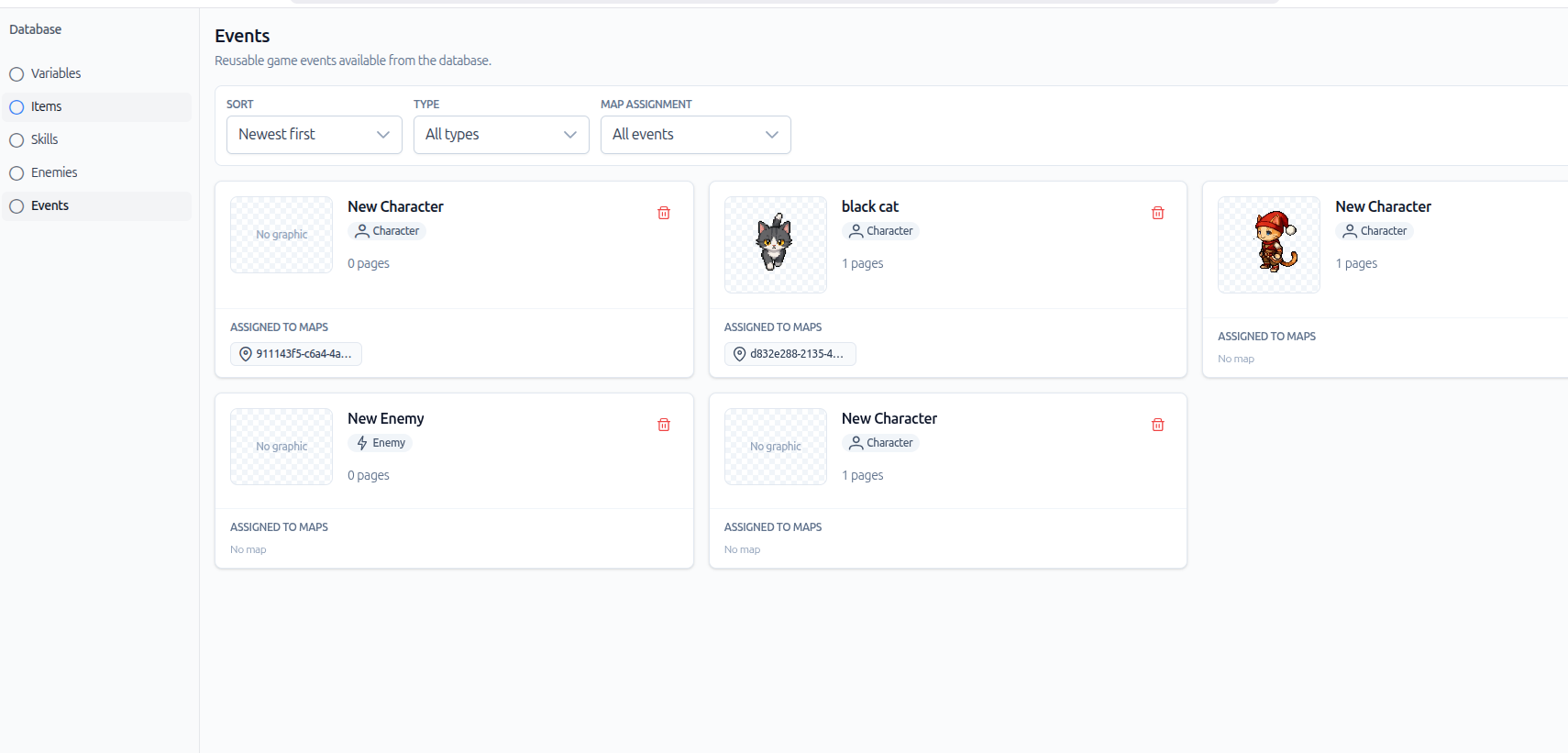
A Dedicated Event Database
Events now have their own database. Instead of creating every event directly on a map, you can define reusable event templates in one place.
This new workflow lets you:
- create event logic once;
- keep shared behaviors centralized;
- reuse the same event in multiple situations;
- update common logic more easily.
For example, if several maps use the same enemy behavior, you no longer need to rebuild that behavior every time. Create the event in the database, then place it wherever it should appear.
Reuse Events on a Map
From the map editor, you can select an existing event and reuse it directly on the current map.
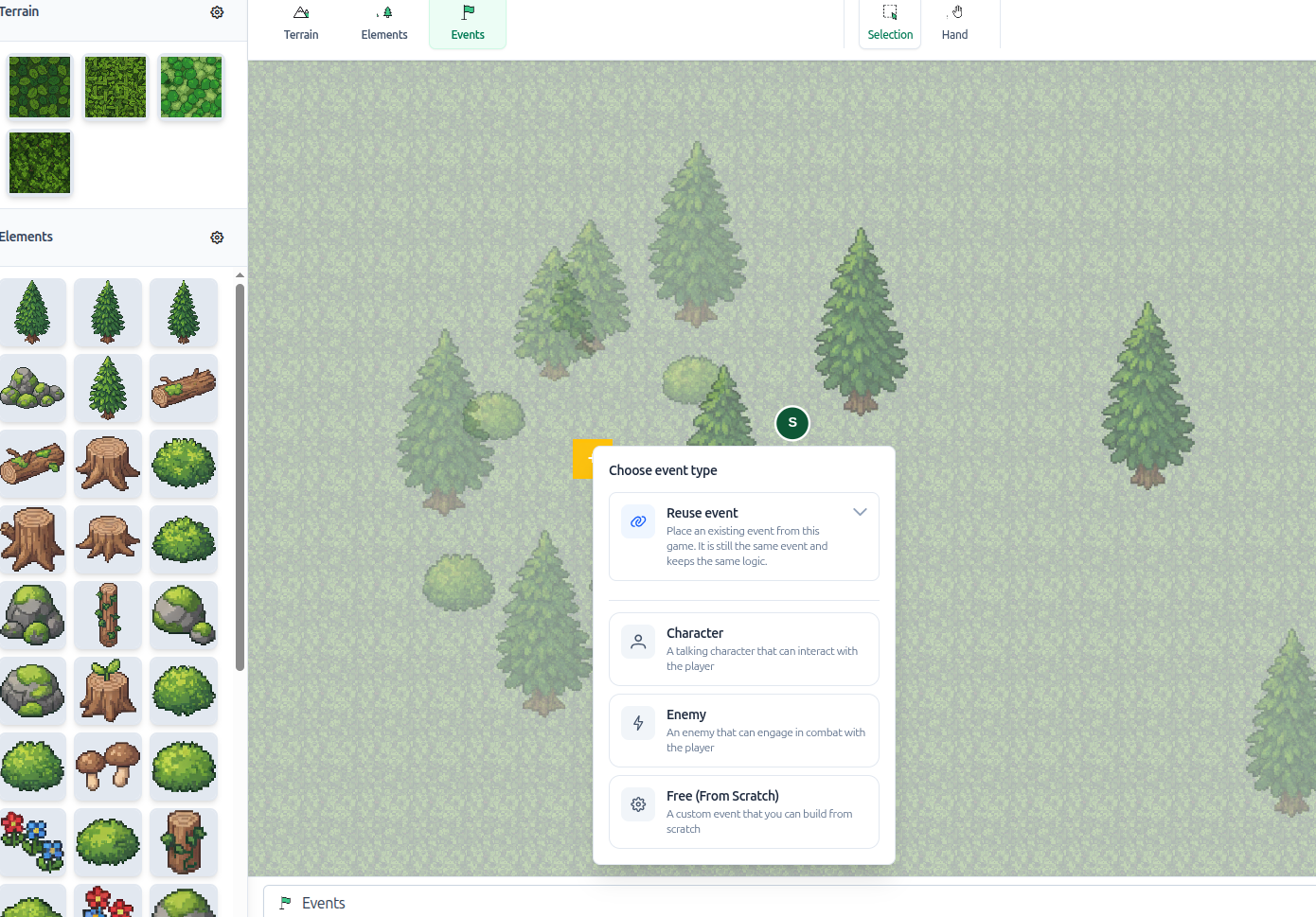
This is useful for repeated gameplay elements. Several enemies can share the same behavior, multiple doors can use the same interaction, and several chests can follow the same opening logic.
A dropdown lets you choose which event you want to reuse.
Duplicate or Copy an Event
When an event is placed on a map, you now have two practical options:
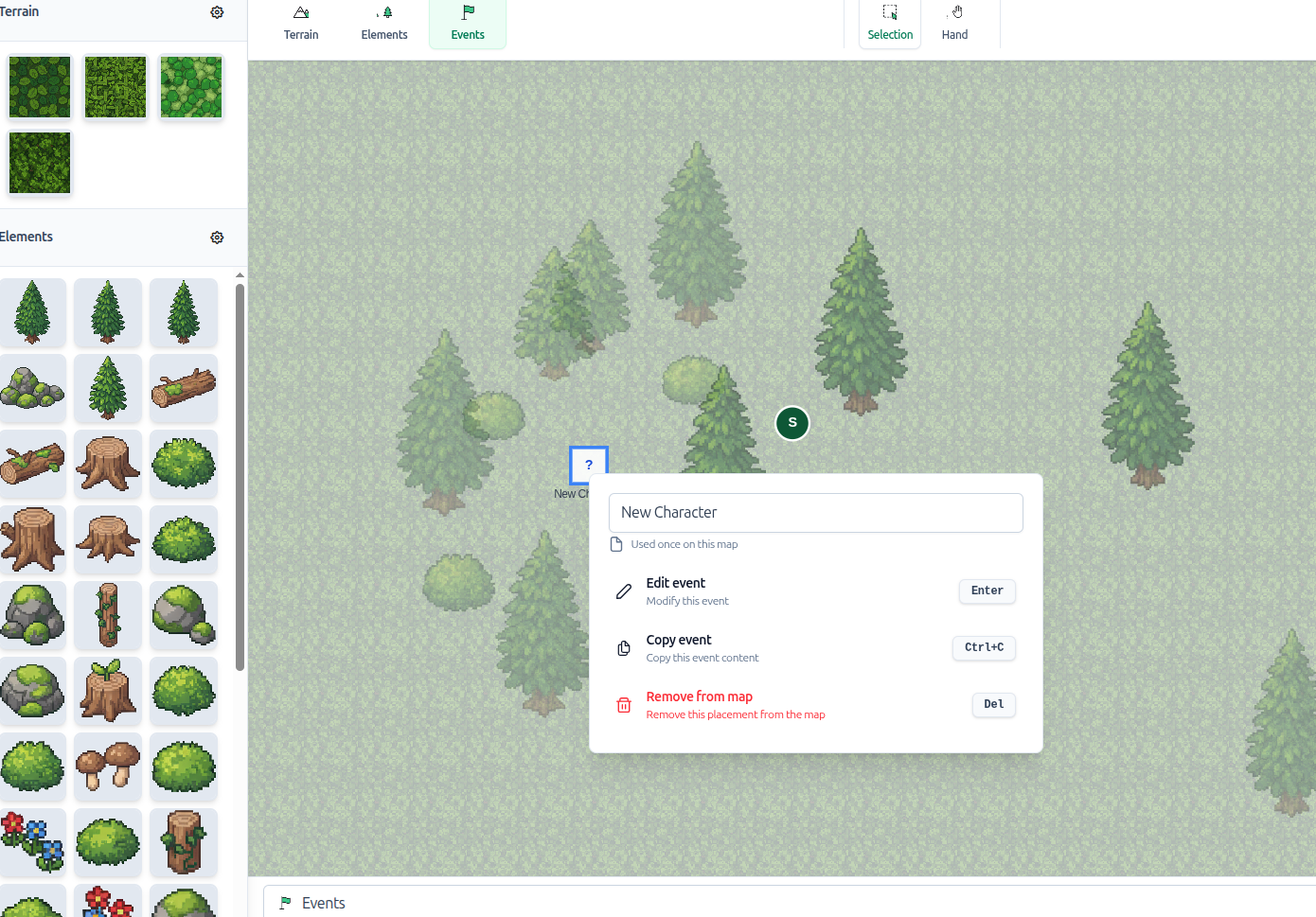
- Duplicate event: create a new event based on the current one, then customize it independently.
- Copy event: reuse the same underlying logic, so multiple placed events keep the same behavior.
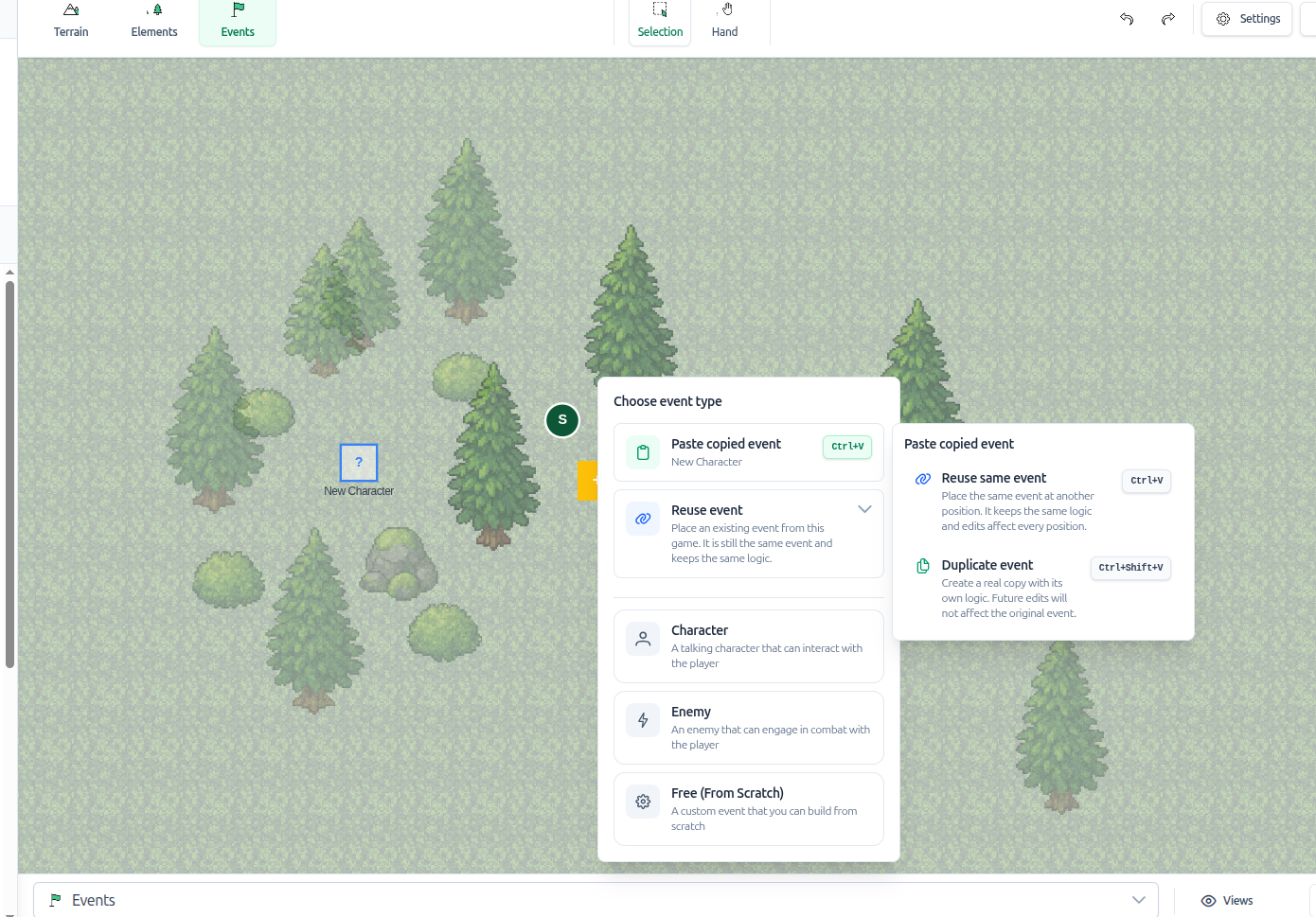
The distinction matters. If you want several enemies with exactly the same logic, copying the event keeps the behavior shared. If you want to start from an existing event but then modify its logic locally, duplicating is the better choice.
For level design, this makes encounter creation much faster. You can prepare one enemy event, then copy it across the map without recreating its movement, interaction, combat trigger, or reward logic for every instance.
Spawn Events from Event Blocks
Reusable events are not limited to manual placement. You can also spawn an event directly from an event block.
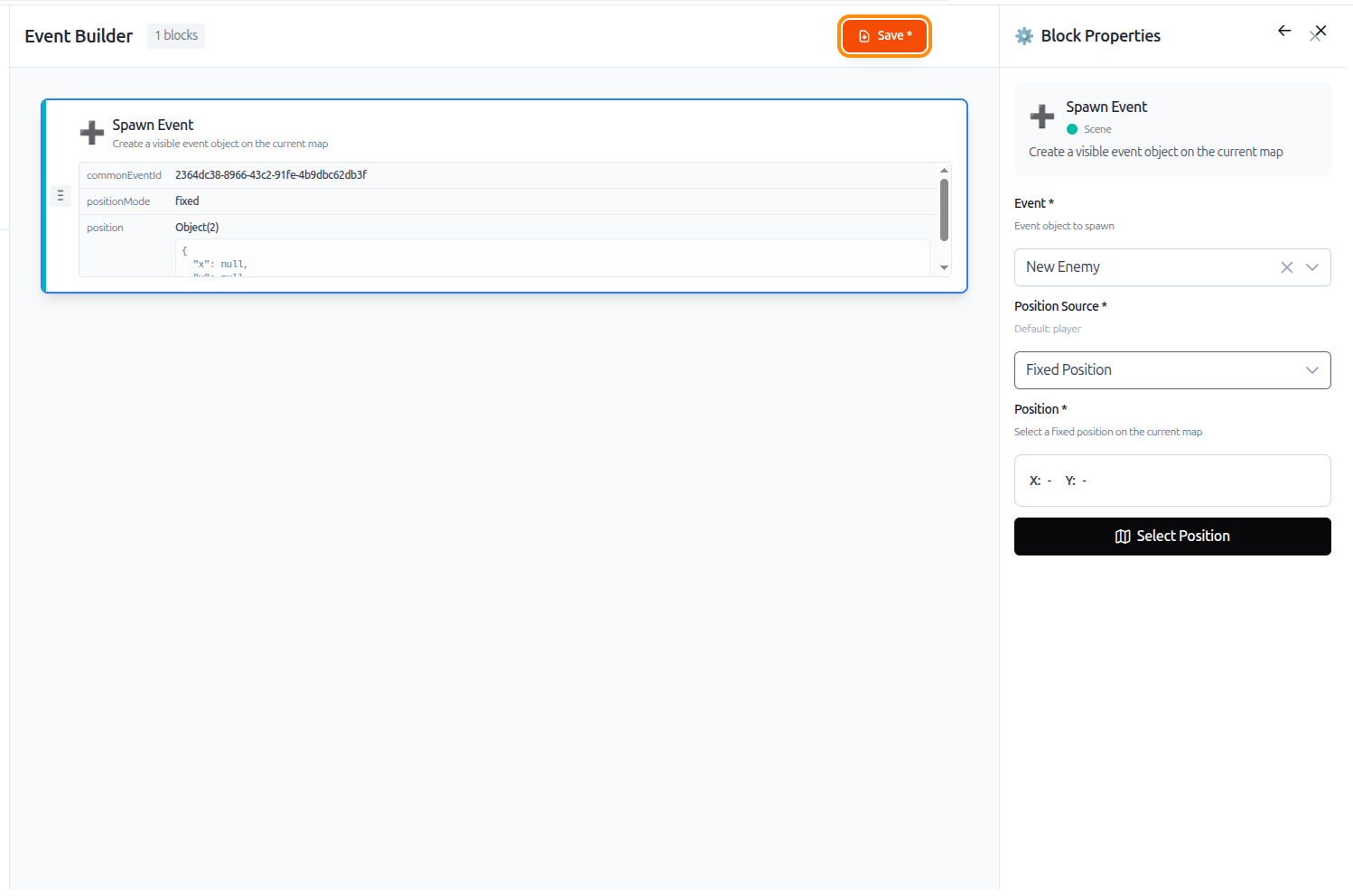
This enables more dynamic scenes:
- spawn enemies during an ambush;
- create a temporary NPC during a cutscene;
- make an object appear after a switch is activated;
- add reinforcements during a combat sequence;
- generate an interactive element only when the player reaches a specific step.
Because the spawned event can come from the event database, the same reusable logic works both in the editor and at runtime.
Run Logic When a Map Loads
Map settings can now define what should happen when the player enters a map.
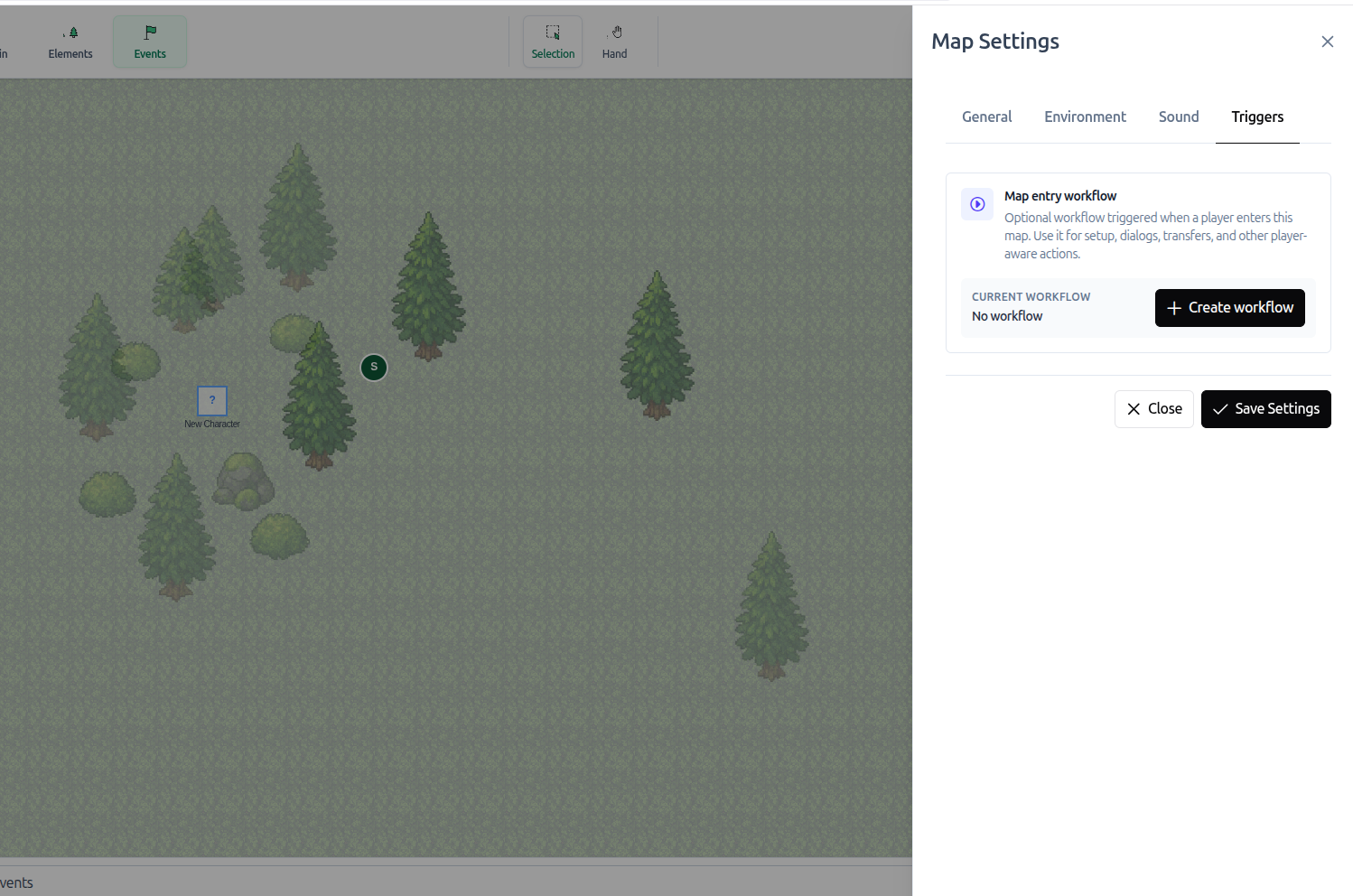
This load trigger is useful for map-level behavior:
- start a cutscene when the player arrives;
- spawn initial events;
- prepare the map atmosphere;
- check quest state;
- initialize an encounter;
- display an introduction message.
Instead of placing a hidden event only to run setup logic, the map itself can now define what should happen when it loads.
Why It Matters
The main benefit is maintainability. Events become reusable building blocks for the whole game, not just elements attached to one map.
For small projects, this saves time. For larger games, it keeps behavior more consistent and easier to update. When the same logic appears in several places, centralizing it in the event database avoids repetition and reduces mistakes.
This update brings RPGJS Studio closer to a production workflow: create once, reuse often, and customize only when needed.