RPGJS Studio 1.14: MMORPG Player Accounts, Moderated Chat and PvP
The MMORPG moves from experimental to beta and now needs a license: players sign in with their own account, talk in a chat moderated by AI, fight each other on PvP maps, keep their progress, and you follow it all from a dedicated dashboard.
RPGJS Studio 1.14: MMORPG Player Accounts, Moderated Chat and PvP
RPGJS Studio 1.14 is about one thing: the MMORPG is no longer only a server you can start. It now has the pieces that make an online world feel like a game: player accounts, a chat, PvP, saved progress and tools to run it.
It also changes status: the MMORPG is no longer experimental. It is now in beta, and it requires a license.
Everything below is available from the Studio, without writing code and without managing a server.
Players Sign In With Their Own Account
Turn on player accounts, and your game opens on a sign-in screen instead of a title screen. Players start directly on their map.
- Create an account in the game. You choose how open it is: anybody can join, the player must confirm their e-mail, or you approve each account yourself.
- Invite players. Send an invitation link; the player chooses a password and joins.
- Nickname. Each player picks a nickname, shown above their character and in the chat.
- Clear messages. A player who is banned, whose session ended, or who tried too many times is told why, instead of seeing a blank screen.
- Human check. An optional check protects sign-in and sign-up against bots.
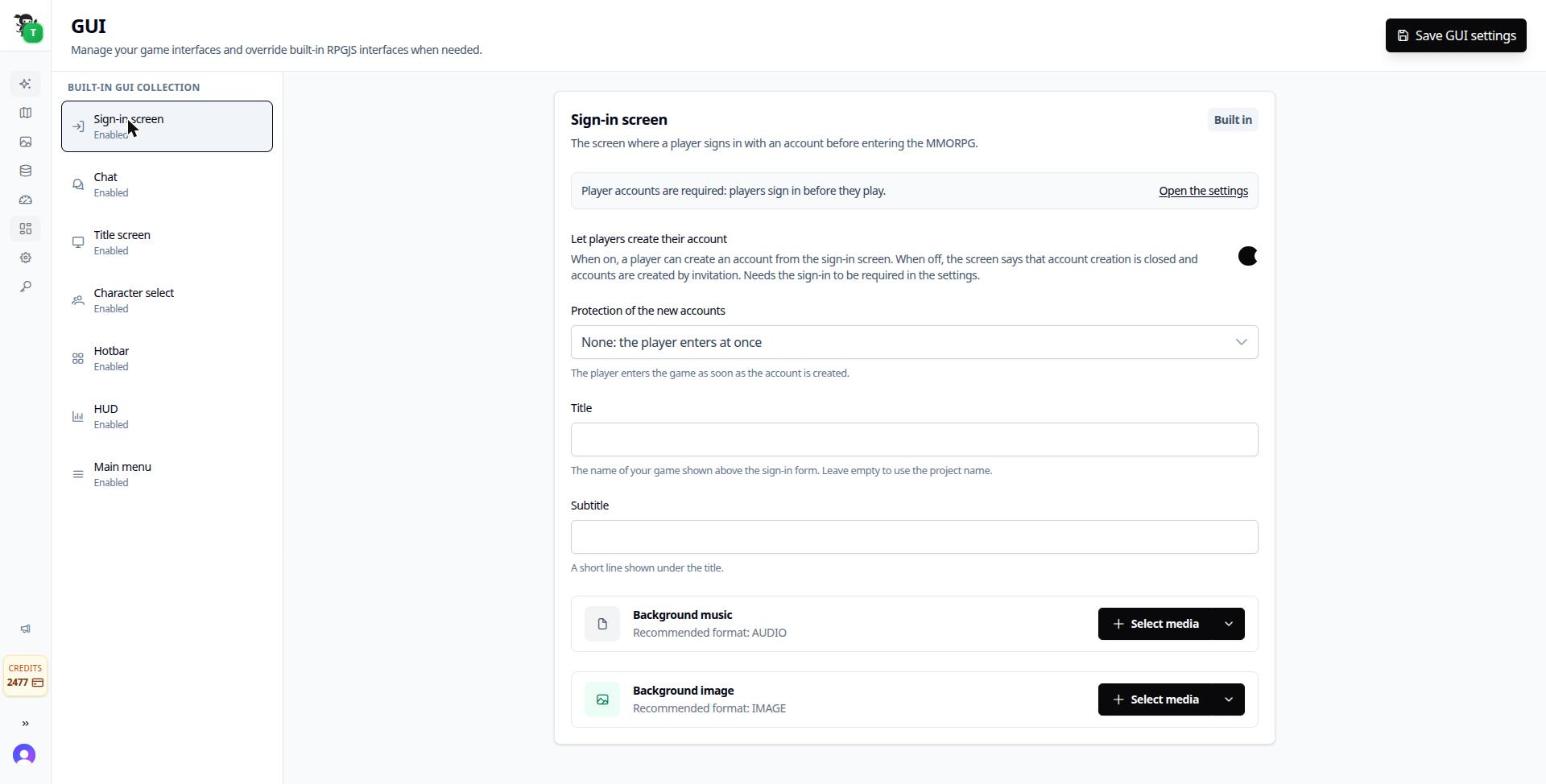
The sign-in screen is set up from the GUI page: let players create their account, and choose how the new accounts are protected.
You see every account in the Players list: status, presence, e-mail verification and reliability score, with actions to edit, ban, follow, disconnect or delete.
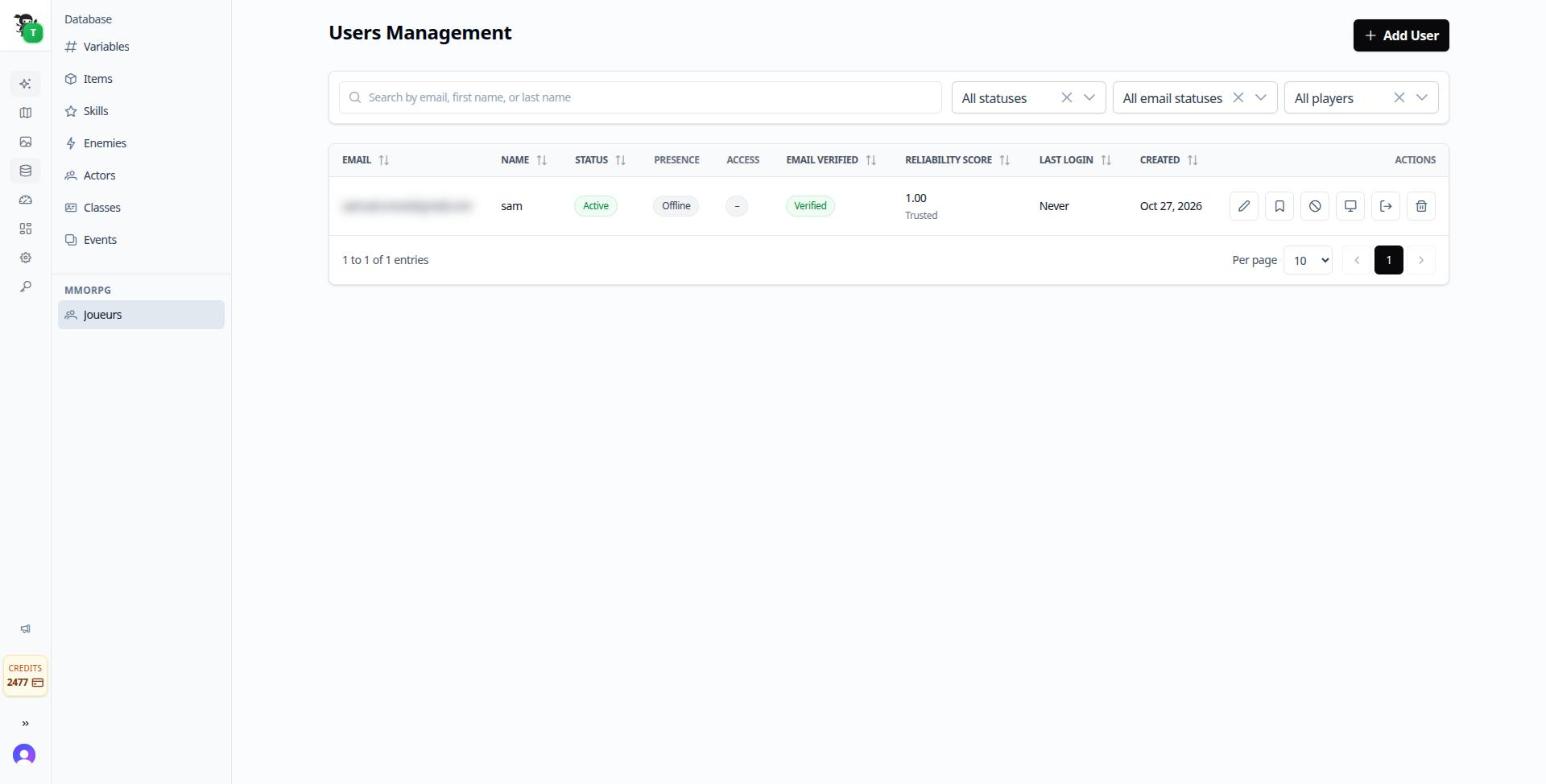
The Players list. The e-mail address is blurred in this screenshot.
E-mails That Speak for Your Game
Invitation, e-mail confirmation, welcome, account waiting for approval, account approved, password reset and password changed: each is an e-mail written in the name of your game.
The game name is the sender name and appears in the title and the footer. Each game gets its own color, French or English follows the player’s browser, and there is a dark mode. RPGJS is never mentioned: for your players, it is your game talking.
A Chat for Your World
The game now has its own chat, with channels and a clean layout (wide input, channel tabs, adjustable height).
As the owner you can speak to everybody or to some maps and delete a message, from the Studio.
Moderated by AI
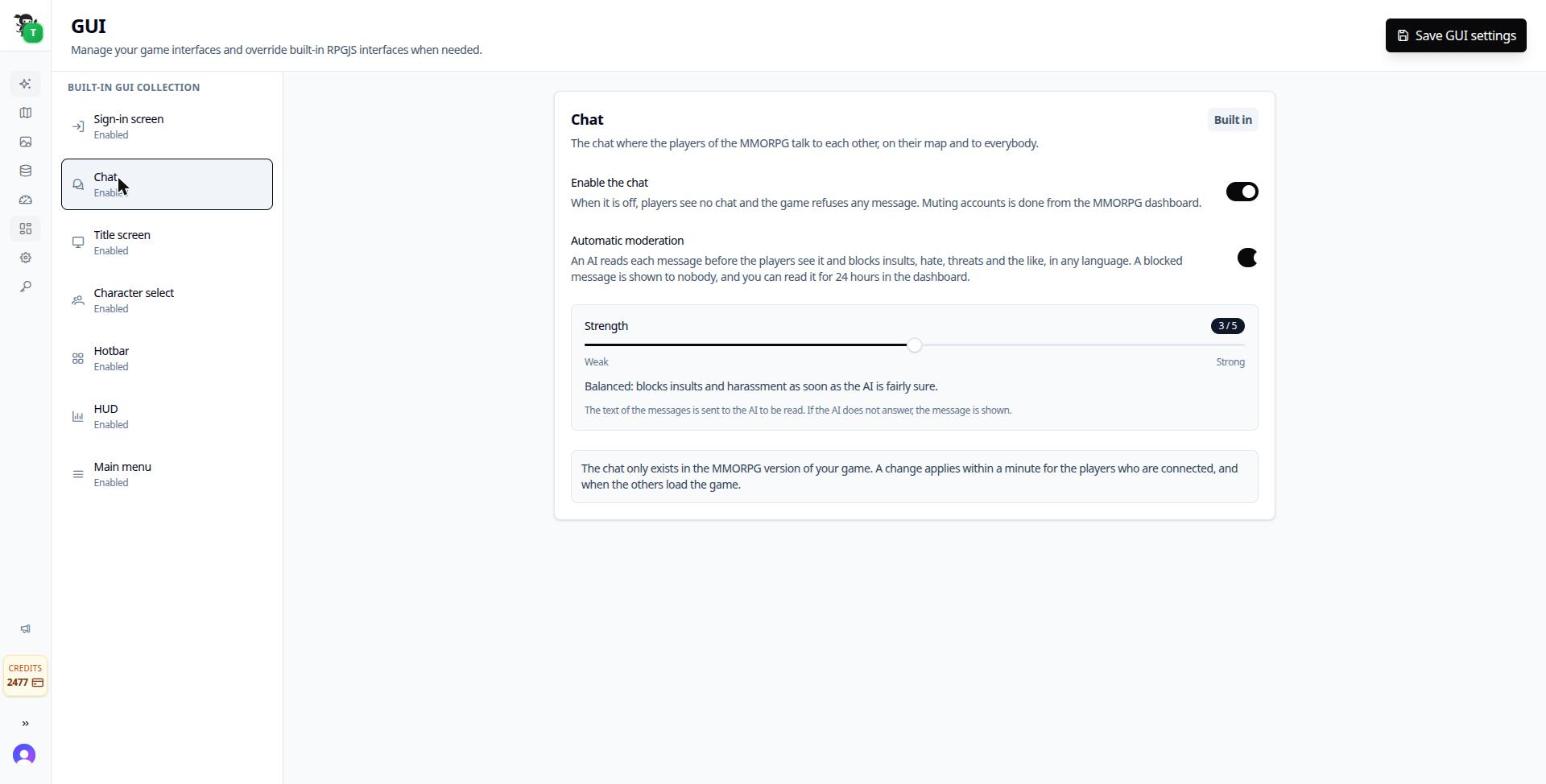
The chat settings: turn the chat on, turn the moderation on, and choose its strength.
Every message is read by an AI before other players see it. It blocks insults, harassment, hate, threats, sexual content, swearing, spam and scams. You choose the strength from 1 to 5, and moderation is on by default.
- Players who keep sending refused messages are muted for a while, and you can see until when.
- Messages sent in a loop are stopped.
- A journal of the last 24 hours shows what was blocked.
PvP on the Maps You Choose
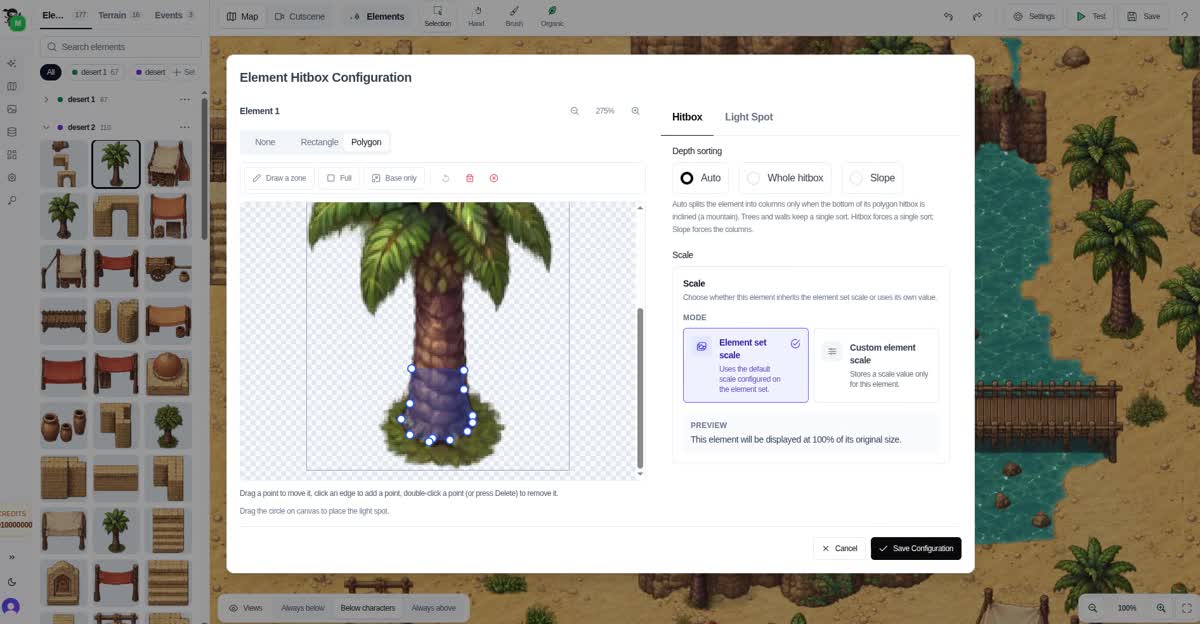
In the Combat tab of a map, turn on PvP. On that map, players can attack each other; on all the others, nothing changes.
A player who is defeated comes back at the start of the map with full health and a short protection, so a fight never becomes a trap. Hits show the same hurt effect as when you attack a monster.
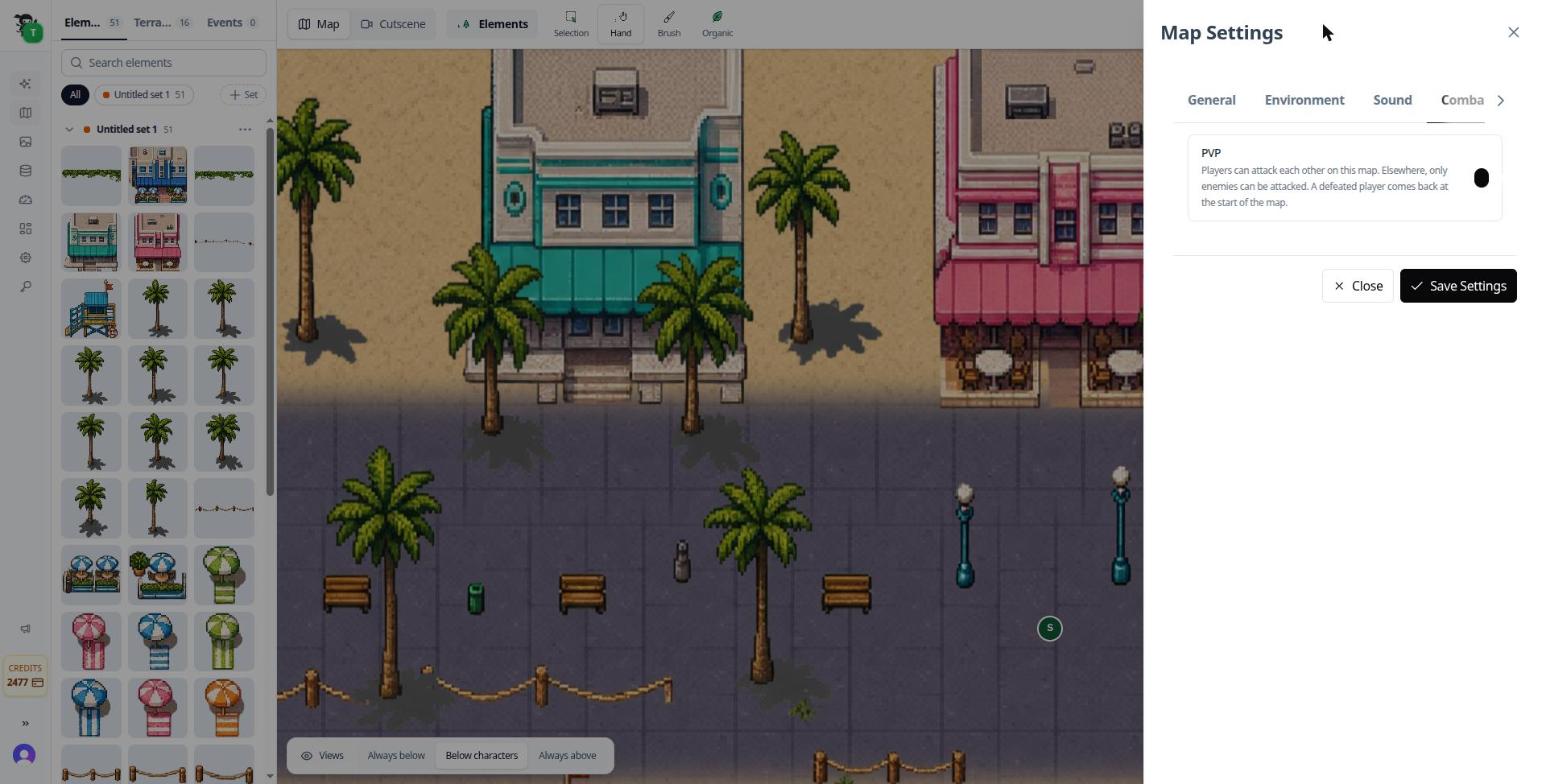
The PVP option, in the Combat tab of the map settings.
Other Players Move Smoothly
Seeing another player walk used to look a bit jumpy. Their movement is now smoothed on your screen, so a player crossing the map looks as fluid as your own character.
Progress Is Saved on the Account
A signed-in player keeps their progress: they come back, sign in, and continue where they stopped, including after changing maps. From the Studio, you can open the progress sheet of any player.
Run Your World From a Dashboard
A new MMORPG dashboard shows what is happening:
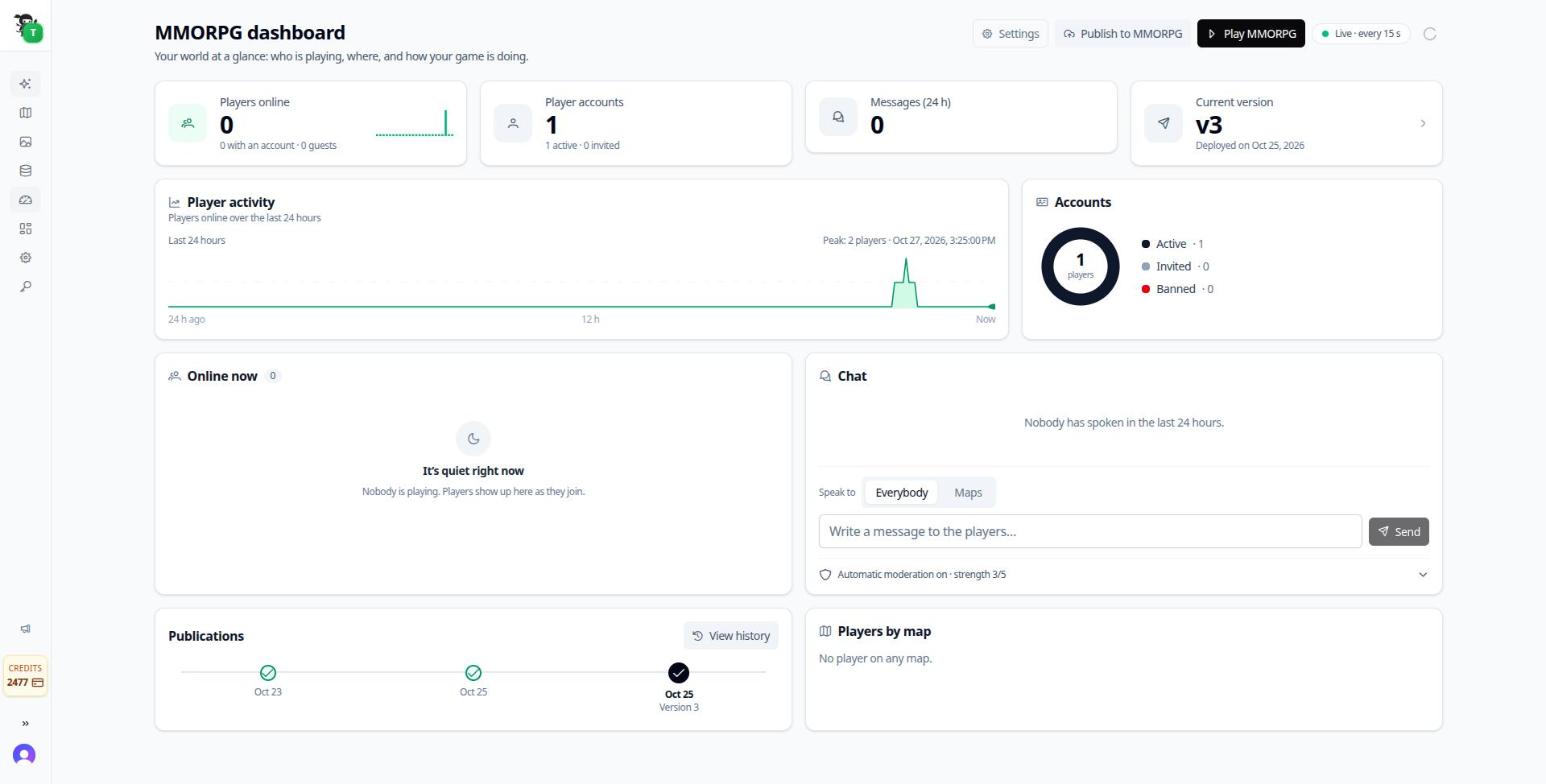
- who is online right now, and the players online over the last 24 hours;
- the accounts, with a presence filter in the Players list;
- the history of your publications;
- the chat, to read, speak and delete a message.
From the Players list you can ban a player, disconnect them, or correct their progress, and the game is told immediately.
You can also publish and play from the dashboard.
From Experimental to Beta, With a License
During the experimental phase, the MMORPG was open to everyone, as announced in the first article. With 1.14, it enters beta, and a license is now required to use it: player accounts, the chat and the dashboard are part of the Pro license.
Beta means the system is stable enough to build a real game on, but it is still growing. Limits per map, scaling across servers and more multiplayer blocks are still ahead, and real games will keep shaping them.
Open your world, turn on player accounts, invite a friend, and tell us how it plays.