RPGJS Studio 1.12: Polygon Collisions, Starter Templates and New Weather
Collisions now follow the real shape of your elements, three playable starter templates come with ready-made events, and new weather ambiences join a sharper AI map generator.
RPGJS Studio 1.12: Polygon Collisions, Starter Templates and New Weather
RPGJS Studio 1.12 is out. The headline: collisions now follow the real shape of your elements instead of a simple rectangle. This version also brings three starter templates with events already in place, new weather ambiences, and a clear step forward for the AI map generator.
Real Polygon Collisions
Until now, an element’s collision was a rectangle. It worked, but it was approximate: a palm tree blocked the player across its whole canvas, and a diagonal cliff or an irregular rock could never be followed closely.
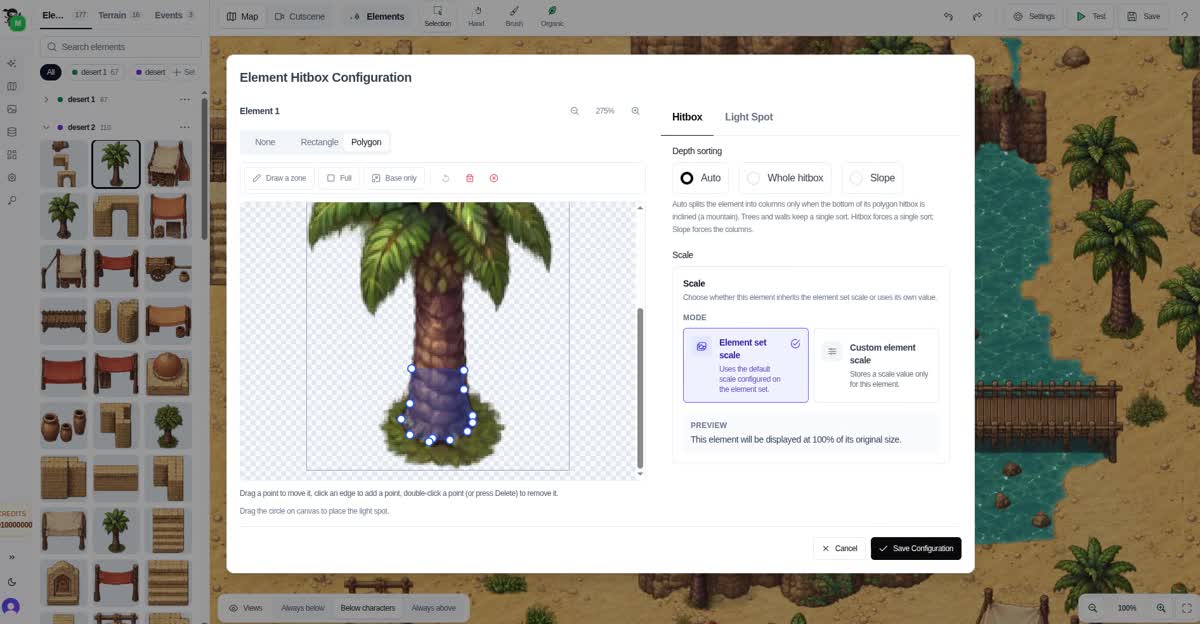
With 1.12, the collision of an element is a true polygon, drawn on top of the element itself. The player is blocked exactly where the object is solid, and walks freely everywhere else.
The palm tree is the perfect example. Only its trunk needs to block the player. The leaves belong above the character’s head, and the surrounding sand is free to walk on. A rectangle can’t express that; a polygon around the base of the trunk does.
Always editable
You are never locked into the result. At any moment you can reopen an element’s hitbox configuration and:
- switch between None, Rectangle and Polygon,
- drag a point to move it,
- click an edge to add a point,
- double-click a point (or press
Delete) to remove it, - keep only the base of the element, or draw a custom zone.
See what you built
To check your work, turn on Hitboxes in the Views menu of the map editor. Every placed element shows its collision outline, so you can understand at a glance where a player can and cannot go.
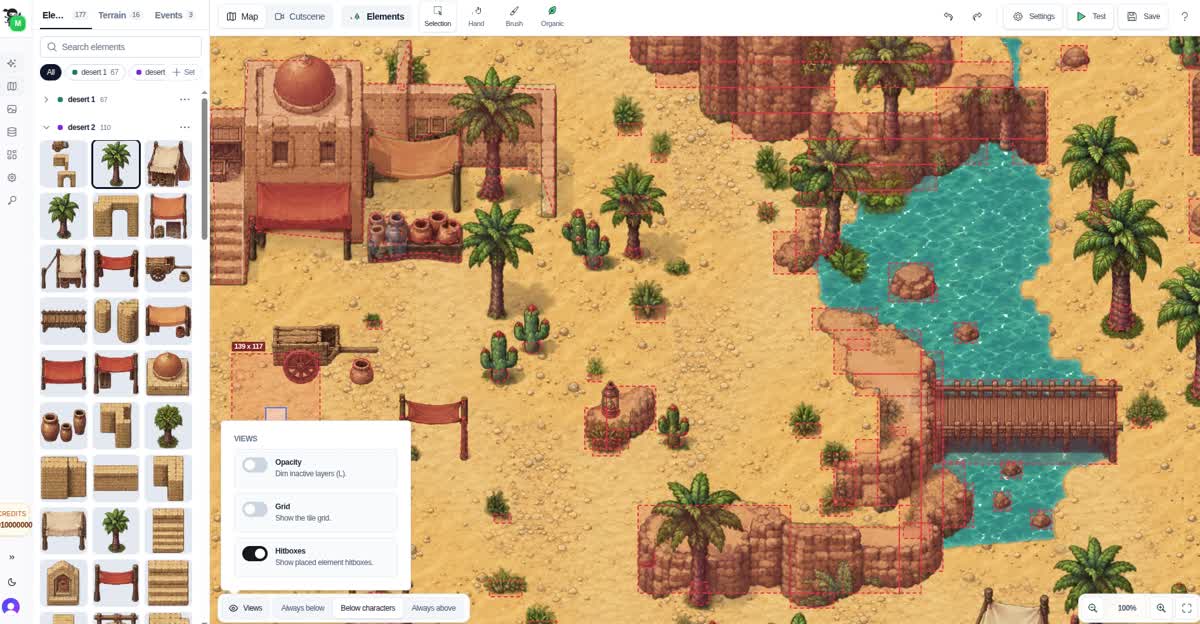
This is also a good way to understand your map’s collisions and spot a missing blocker or a too-generous one before testing.
Three Starter Templates, With Events
When you create a new project, you can now pick a starting point instead of an empty map. The same templates can also be imported later, from Create map → From a template.
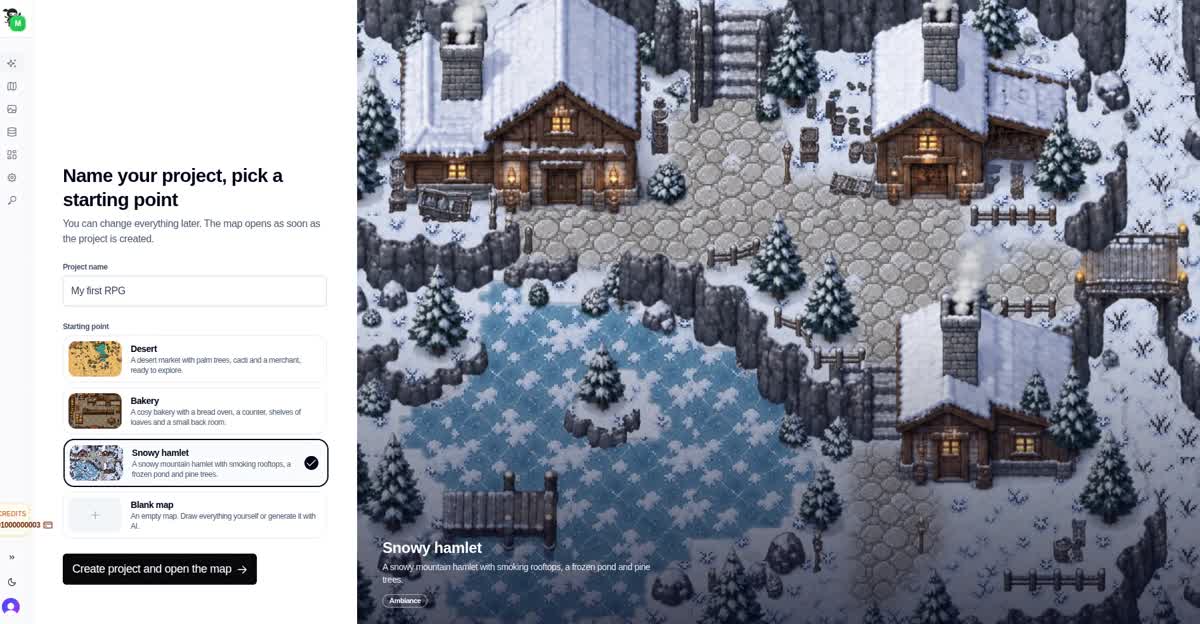
What makes them useful: the three templates include events. You don’t just get a pretty map, you get something playable that shows how RPGJS Studio works.
Desert
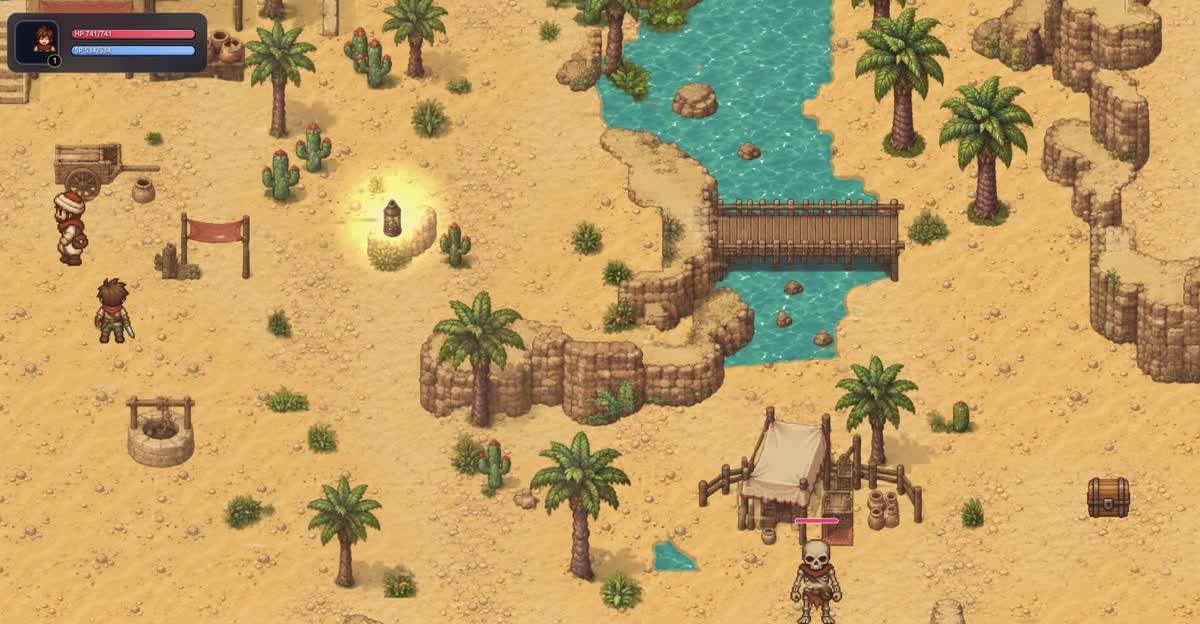
A desert market with palm trees and cacti. It comes with a chest to open and a fight against a skeleton: a quick way to see enemies, rewards and battle events working together.
Snowy Hamlet
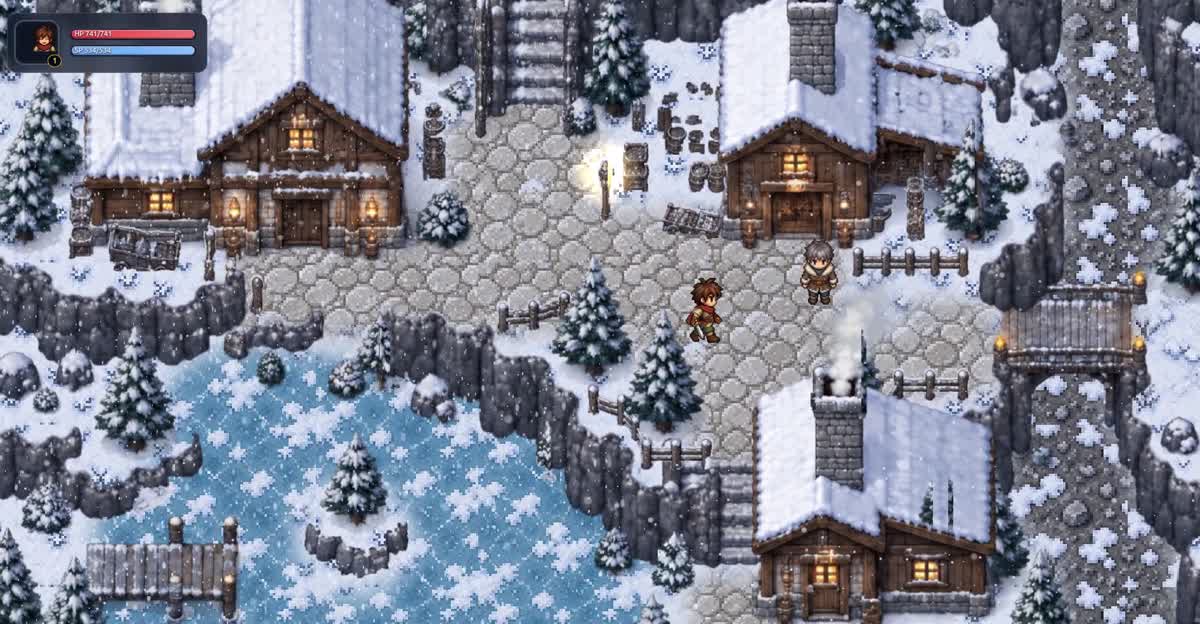
A snowy mountain with smoking rooftops, a frozen pond and a village to explore.
Bakery
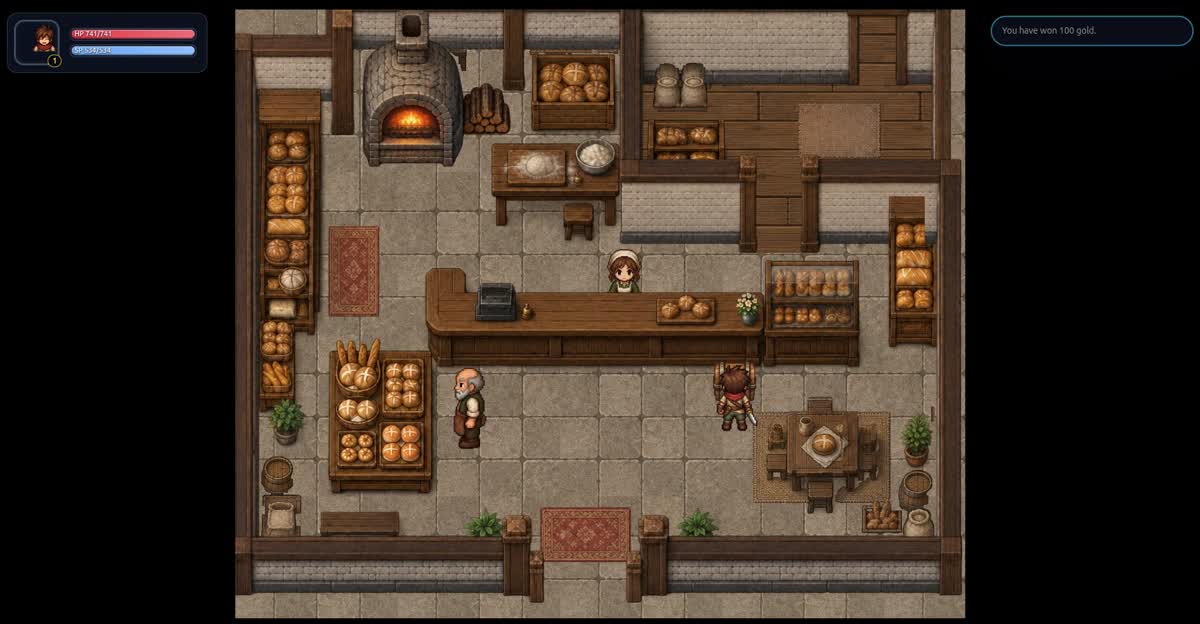
The inside of a cosy bakery, with an NPC behind the counter. Talk to them to buy bread: a complete shop example, from dialogue to inventory.
These templates are meant to be both a head start for a new project and a guided tour of the editor. Open an event, change a line, move a chest, and see the result in seconds.
New Weather Ambiences
The map weather settings get more presets, to set the mood of a location in a click:
- Seasons, including an autumn effect,
- Volcano, with glowing embers, eruption and ashfall,
- Desert, for a dry, sandy atmosphere.
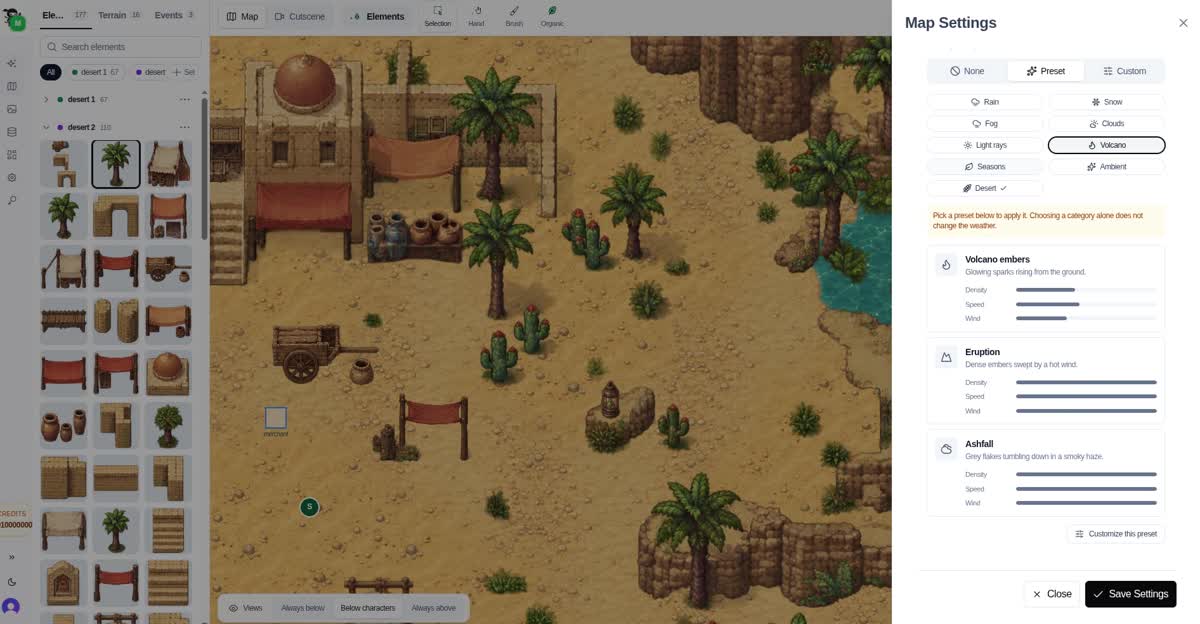
Pick a preset, then tune its density, speed and wind to match your scene.
A Sharper AI Map Generator
The AI map generator v3 gets a refinement in this release (3.1). The visible result is a clear improvement in rendering quality: maps look cleaner and more consistent from the first generation.
Try It
Update your project, open any element and reshape its hitbox, or start a new project from one of the templates.