Character Select, Classes, and Audio: What's New in RPGJS Studio
Create several actors, let players choose their hero, define classes and skills, and give your game a more complete audio and title-screen identity.
Character Select, Classes, and Audio: What’s New in RPGJS Studio
This RPGJS Studio update adds a new foundation for games that need more than one possible hero: actors and classes now have their own data in the database.
The most visible result is the new Character Select block. It lets players choose a character before starting the game, or at any point in an event. Combined with the new audio settings and title-screen options, it gives creators more control over the first moments of their game.
Create More Than One Hero
Until now, a project was centered on one hero. You can now create several actors and choose which one is the main hero.
An actor represents a playable character. As usual, it can have an appearance and gameplay parameters. The difference is that a project is no longer limited to a single possible protagonist.
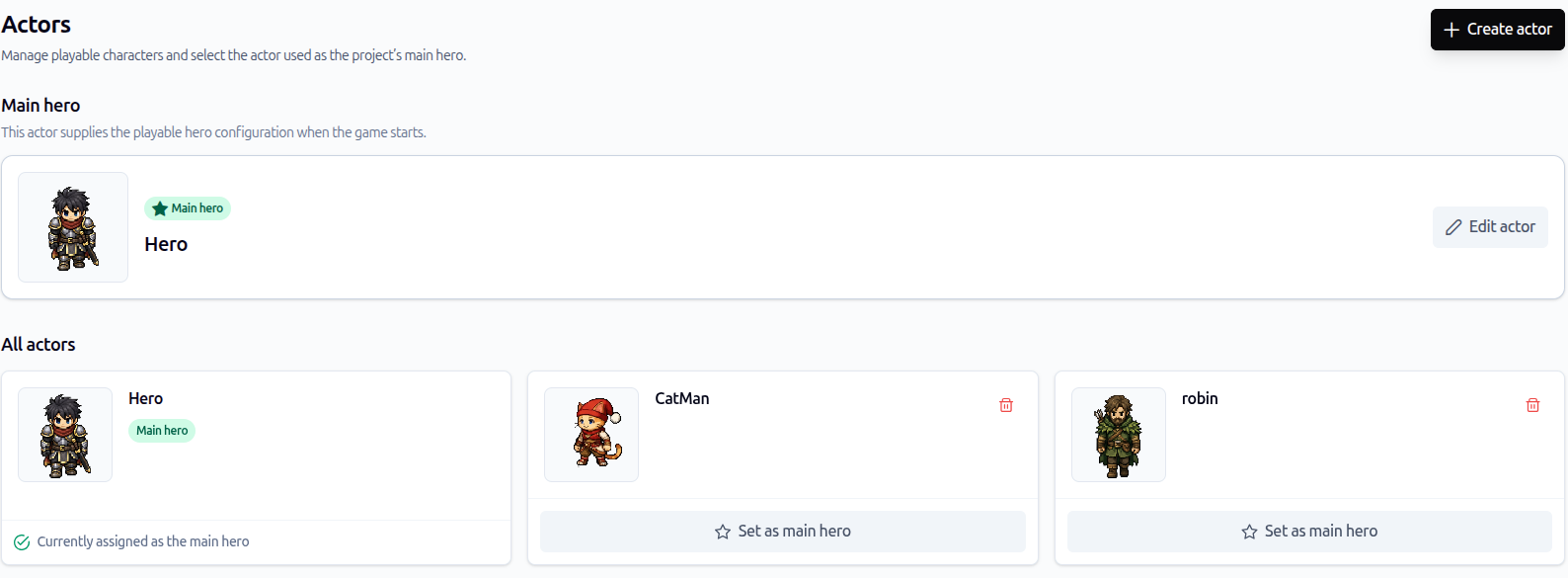
Create several playable actors and select which one supplies the project’s main hero configuration.
This opens up several game designs:
- let the player choose between several protagonists at the beginning of a new game;
- create heroes with different appearances and starting parameters;
- prepare characters that can become allies later in the adventure;
- build a cast that can grow as the project evolves.
Choosing a main hero still gives the project a clear default. Additional actors are available when your game needs them, without forcing every project to use a character-selection screen.
Define Classes and Their Skills
Classes are the second new type of database data.
A class describes a character role, such as a warrior, mage, healer, or any role you create for your world. You can use it to define the skills associated with that role, then link actors to the appropriate classes.
This keeps two different design decisions separate:
- Actors define who the characters are: their appearance and their parameters.
- Classes define what they can do: for example, their available skills.
That separation is useful when several characters share the same role, or when you want to prepare different archetypes before deciding exactly which actors will use them.
Let Players Choose with Character Select
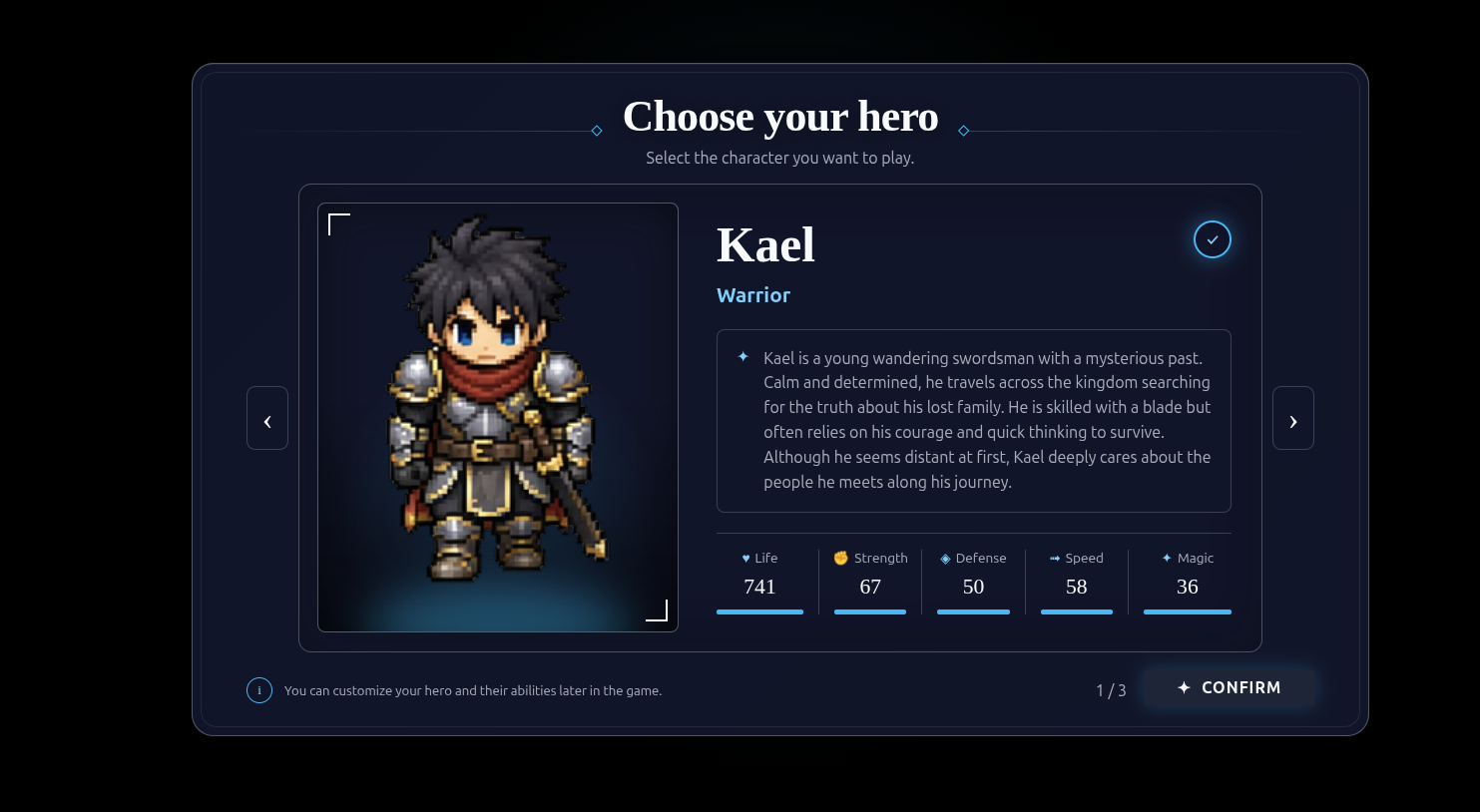
The new Character Select event block displays a character-selection screen during the game flow. Players can choose an actor, then continue playing with that character.
Players can review a hero’s role, description, and parameters before confirming their choice.
One natural place for this block is just after starting a new game and before the player enters the first map. It can also be used later in an event whenever your story or game mode needs the player to choose a character.
You control the list shown by the block:
- display every actor in the project; or
- display only a selected set of actors.
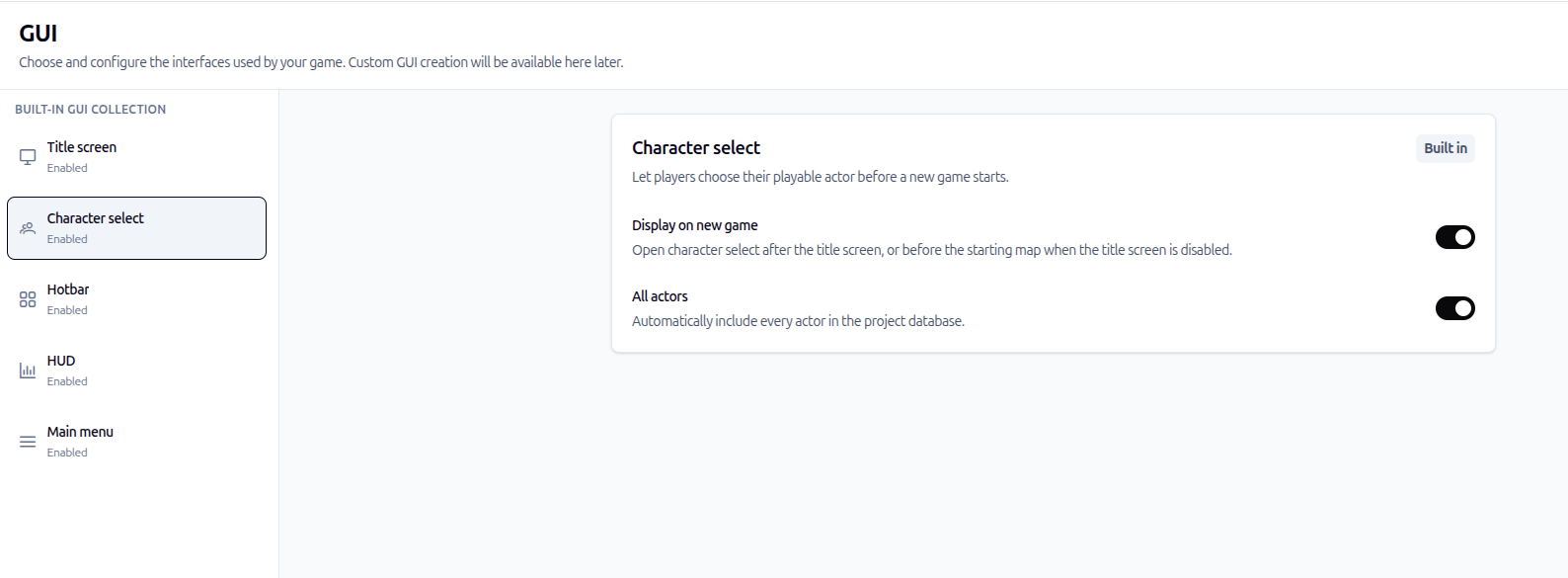
Enable Character Select for a new game and choose whether every actor from the project database should be included.
This makes the feature useful for both simple and more specific situations. A story-driven game can present its whole starting cast. Another game can show only the characters unlocked for a particular scene or mode.
A Stronger Starting Point for MMORPGs
Character selection is especially valuable for an MMORPG.
When a new player arrives in an online world, they can choose the character they want to play instead of every player beginning with the same default hero. This creates more variety from the first connection and gives creators a practical base for games with distinct roles, appearances, and abilities.
The feature does not force a particular MMORPG design. It simply provides the selection step that online RPGs often need, while leaving creators free to decide which actors should be available.
Configure Audio in Settings
The Settings area now includes an Audio section for configuring the sounds that make menus and transitions feel responsive.
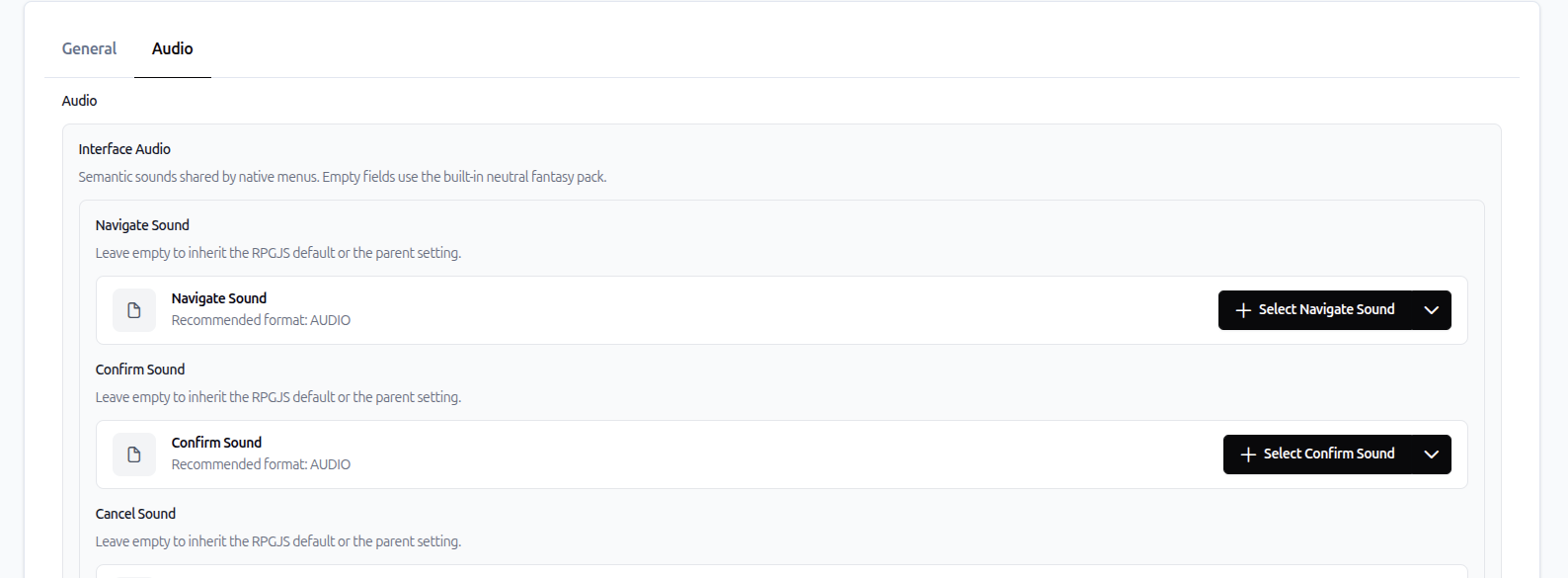
Set dedicated sounds for common interface actions, including navigation and confirmation.
You can add audio for interactions such as:
- navigating an interface;
- confirming a choice;
- opening menus;
- opening the battle menu.
The update also introduces spatial behavior for battle music. As the player approaches a battle, its music can be heard; when the player leaves, it fades away. This makes the transition into and out of combat feel less abrupt and helps the world sound more alive.
Give the Title Screen Its Own Identity
The title screen can now use its own background image and sound.
These two small choices have a large effect on the opening mood of a game. A title image establishes the visual identity before the first interaction, while a sound or music track sets the atmosphere immediately.
You can also generate a regular image directly in RPGJS Studio and use it in the game, including as a title-screen background. Image generation does not replace a complete art workflow, but it gives creators a quick way to create an image and bring it into their project without leaving the Studio.
Start with the Player’s First Choice
The main addition in this update is Character Select: create several actors, decide which one is the main hero, and let players choose when your game needs that choice.
Classes prepare the next layer of character design by linking roles and skills to those actors. Audio settings and title-screen customization complete the experience around that selection, so the game can feel intentional before the first map even begins.
Whether you are creating a solo RPG with several protagonists or laying the foundation for an MMORPG, the new tools give your players a more personal way to begin the adventure.